
Table of Contents
- Key Takeaways
- What AI agents actually do in workflow automation
- Where AI agents help most
- Where rule-based automation is still better
- A practical framework for choosing the right workflow
- How to design AI agents safely
- How to measure whether the agent is actually working
- A realistic rollout plan
- Final thoughts
AI agents have moved from demo videos to real business conversations. The problem is that the conversation often skips the part that matters most: where agents actually improve workflow automation, and where they create more risk than value.
Used well, AI agents can handle messy, multi-step tasks that traditional rule-based automation struggles with. They can triage requests, draft responses, summarize documents, route exceptions, and assist with decisions that require context. Used poorly, they introduce uncertainty into processes that need consistency, traceability, and control.
This guide takes the non-hype view. If you are evaluating AI agents for workflow automation, the goal is not to automate everything. The goal is to automate the right steps, with the right guardrails, so the workflow becomes faster, more resilient, and easier to manage.
Key Takeaways
- AI agents are best for workflows with ambiguity, variation, or language-heavy tasks.
- Rule-based automation is still the better choice for repetitive, deterministic processes.
- Start with bounded use cases where the cost of error is low and the process is observable.
- Human review should remain in the loop for exceptions, approvals, and customer-facing actions.
- Good workflow design matters more than model choice.
- Measure success with cycle time, error rate, escalation rate, and rework, not just automation volume.
What AI agents actually do in workflow automation
In practice, an AI agent is a system that can interpret a task, decide on a sequence of actions, use tools, and adapt when the path is not fully predefined. That is different from a standard automation rule that simply says, “if X happens, do Y.”
Traditional automation is excellent when the logic is stable. An AI agent becomes useful when the workflow has unstructured inputs, incomplete information, or multiple possible next steps. For example, a support request may need classification, sentiment reading, knowledge lookup, and escalation. A contract intake process may require extracting key terms, checking missing fields, and deciding whether legal review is needed.
The point is not that agents are “smarter” in a general sense. The point is that they can operate in places where explicit rules are hard to maintain.

Where AI agents help most
The strongest use cases are usually workflows that are text-heavy, exception-heavy, or dependent on context. These are the places where employees spend time reading, sorting, drafting, and deciding rather than simply moving data from one system to another.
Common high-value patterns
- Intake and triage: classify incoming tickets, emails, or requests and route them to the right queue.
- Document processing: extract key details from contracts, invoices, forms, or policy documents.
- Response drafting: generate first-pass replies, summaries, or status updates for human review.
- Research assistance: gather context from connected tools and present a short actionable summary.
- Exception handling: identify when a workflow does not fit the standard path and escalate appropriately.
These tasks benefit from an agent because the input is rarely perfect. A human might infer intent from a vague email or spot an unusual clause in a document. An agent can do some of that work faster, but it still needs clear boundaries.
Where rule-based automation is still better
Not every workflow should involve an AI agent. If the process is stable, repetitive, and easy to express in logic, a traditional workflow engine will usually be more reliable, cheaper, and easier to audit.
| Workflow type | Best approach | Why |
|---|---|---|
| Invoice approval with fixed thresholds | Rule-based automation | Clear conditions, low ambiguity, easy to audit |
| Support ticket categorization from free-text input | AI agent | Language-heavy and variable |
| Password reset requests | Rule-based automation | Simple, deterministic, high volume |
| Customer complaint summarization and routing | AI agent | Needs interpretation and prioritization |
| Payroll processing | Rule-based automation with controls | High risk, strict logic, strong compliance needs |
A useful rule of thumb: if a junior analyst could follow the process from a clear checklist with little interpretation, an agent is probably not necessary. If the task requires reading context, weighing signals, and making a recommendation, an agent may add value.
A practical framework for choosing the right workflow
The best way to start is not with the model. It is with the workflow.
Before introducing an AI agent, ask six questions:
- Is the task repetitive enough to matter? If it happens once a month, automation may not be worth the effort.
- Is the input structured or unstructured? Agents are more useful when the input is messy.
- What happens when the agent is wrong? Low-risk errors are acceptable in some workflows; high-risk errors are not.
- Can the agent be constrained? It should have limited tools, limited permissions, and a defined scope.
- Can a human review the output? Human-in-the-loop review is often essential, especially early on.
- Can success be measured? If you cannot track improvements, it will be hard to justify the system.
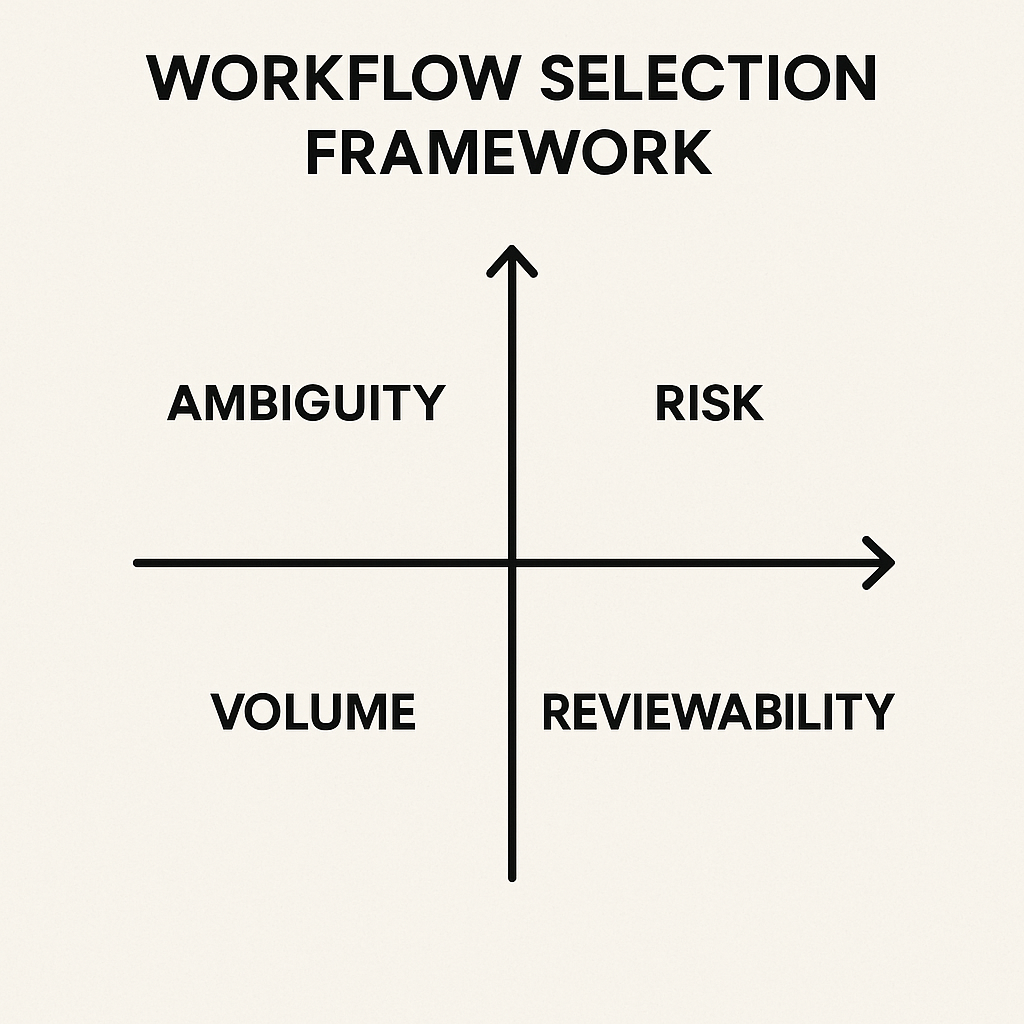
This framework helps separate promising use cases from expensive experiments. A workflow that looks impressive in a demo may collapse once it hits real data, edge cases, or compliance review.
How to design AI agents safely
Good agent design is mostly about constraints. The safest systems are not fully autonomous. They are narrow, observable, and reversible.
Start with bounded tasks
Give the agent one job at a time. For example, let it classify and summarize before you let it draft responses or trigger downstream actions. Narrow scope makes failures easier to detect.
Limit tool access
An agent should only have access to the systems it truly needs. If it is helping with support tickets, it may need a ticketing platform and a knowledge base, but not full access to finance or HR records.
Keep humans in the loop where it matters
Human review is not a sign that automation failed. In many workflows, it is the control layer that makes automation viable. Use human approval for customer commitments, financial actions, legal language, and sensitive decisions.
Log decisions and outputs
Agents should produce traceable outputs: what they saw, what they decided, and what action they took. Without logs, debugging is hard and trust erodes quickly.
Plan for fallback paths
When an agent is uncertain, it should escalate instead of guessing. A good workflow has a safe fallback, whether that is a human review queue, a default template, or a restricted “needs attention” state.
How to measure whether the agent is actually working
Many teams stop at “the agent saves time.” That is too vague to be useful. A better evaluation looks at the full workflow, not just the model output.
- Cycle time: how long the process takes from start to finish.
- Accuracy: how often the agent gets the classification, summary, or recommendation right.
- Escalation rate: how often the agent correctly passes cases to humans.
- Rework rate: how often humans need to correct or redo the result.
- Throughput: how many cases the system can process per day or week.
- Risk incidents: any incorrect action, compliance issue, or customer impact.
These metrics matter because an agent can appear productive while quietly creating more cleanup work. The real test is whether the total workflow becomes simpler for the people who rely on it.
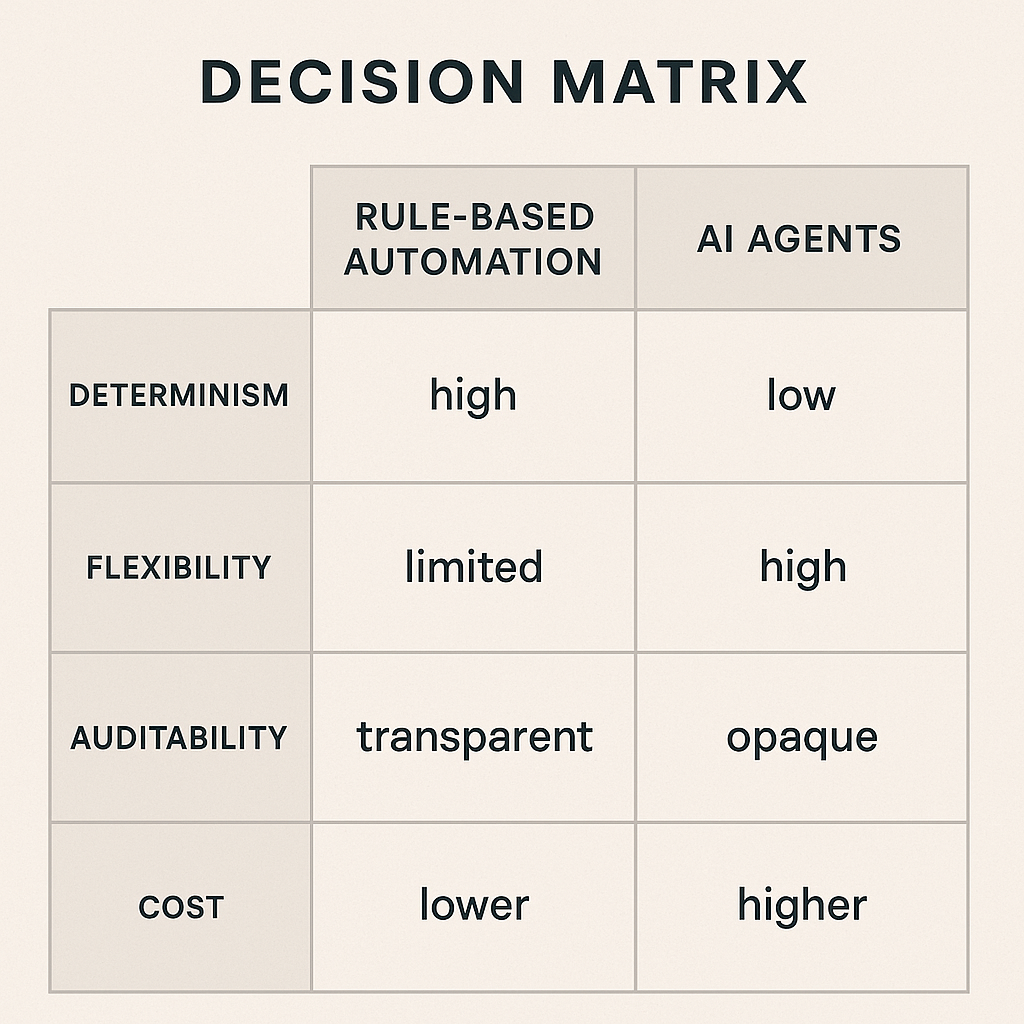
A realistic rollout plan
Most successful teams do not begin with a fully autonomous agent. They start small, observe closely, and expand only after the workflow proves itself.
A practical rollout usually looks like this:
- Pilot: choose one narrow workflow with low-to-moderate risk.
- Shadow mode: let the agent make recommendations without taking action.
- Human review: compare agent output with expert decisions.
- Controlled activation: allow the agent to handle only low-risk actions.
- Iterate: refine prompts, tools, and escalation rules based on real failures.
- Scale: expand only after performance and governance are stable.
This approach is slower than a flashy launch, but it is much more likely to survive contact with actual operations.
Final thoughts
AI agents are useful when workflow automation needs judgment, flexibility, and language understanding. They are not a replacement for process design, controls, or clear ownership.
The best results come from pairing agents with existing automation, not treating them as a universal upgrade. Start with the workflow, limit the scope, measure the outcome, and keep humans involved where the consequences are real.
That is the non-hype path: less drama, more value.