
Table of Contents
- Key Takeaways
- 1. Define the Task Before You Compare Models
- 2. Match Model Capability to Business Risk
- 3. Compare the Core Selection Criteria
- 4. Understand the Common Model Types
- 5. Test With Real Data, Not Toy Examples
- 6. Think in Workflows, Not Single Models
- When a Simpler Model Is the Better Choice
- Final Thoughts
Choosing the right AI model for a business task is usually not about finding the “best” model in the abstract. It is about picking the model that fits the work you need done, the constraints you have to respect, and the level of risk your team can tolerate. A model that excels at long-form reasoning may be too slow or too expensive for a customer support workflow. A lightweight model may be ideal for classification, but not strong enough for nuanced analysis.
The businesses that get the best results from AI do not start with the model. They start with the task. Then they work backward to the minimum level of capability needed to do the job well.

Key Takeaways
- Start with the business task, not the model brand or model size.
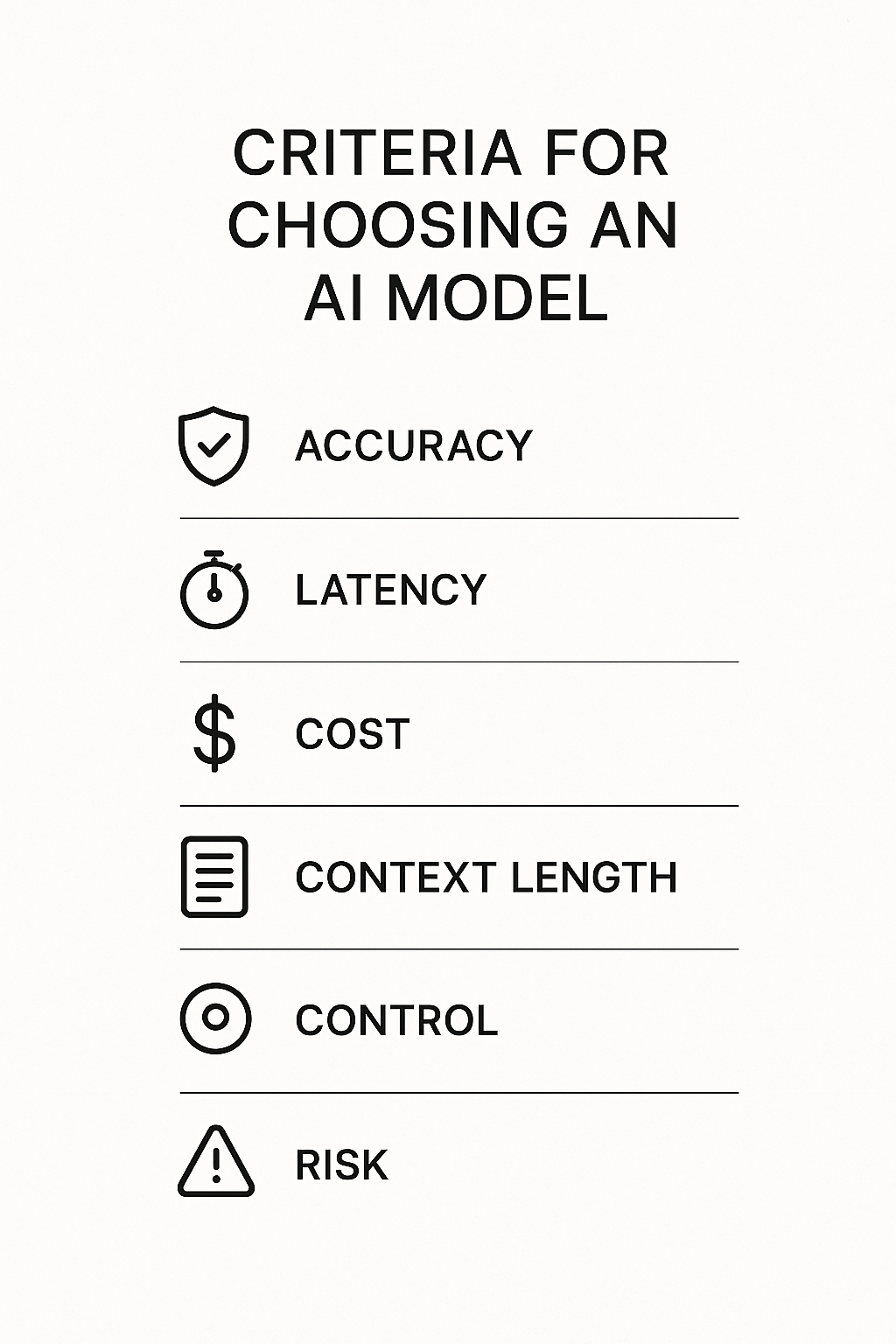
- Match model capability to the real requirement: accuracy, speed, cost, context length, and risk.
- Use simpler, cheaper models for routine tasks and reserve stronger models for high-judgment work.
- Test models with your own data and examples before making a final choice.
- The best production setup is often a combination of models, not a single model for everything.
1. Define the Task Before You Compare Models
The first mistake many teams make is comparing models before they clearly define the use case. “We need an AI model” is too vague to be useful. “We need a model that can classify incoming support tickets into six categories with 95% precision” is a real requirement.
Write the task in plain language and be specific about the outcome you want. Are you summarizing documents, drafting responses, extracting fields, answering questions, classifying intent, or generating ideas? Each of these tasks has different demands.
A useful task definition should include:
- Input type: text, PDF, image, audio, structured data, or mixed data
- Output type: summary, classification, extraction, recommendation, or generation
- Accuracy threshold: what is “good enough”
- Latency target: how fast the response must be
- Volume: how many requests per day or hour
- Risk level: what happens if the model is wrong
Once the task is clear, model selection becomes much more practical.
2. Match Model Capability to Business Risk
Not all tasks deserve the same level of AI capability. A model used to rewrite internal meeting notes can tolerate a fair amount of variation. A model used to suggest financial actions, legal language, or medical guidance needs a much higher bar.
The higher the business risk, the more you should prioritize reliability, controllability, and auditability over raw creativity. In lower-risk tasks, you can optimize for speed and cost. In higher-risk tasks, it is often worth spending more for stronger performance and more careful review.
This is where many AI projects go wrong: a team uses a powerful generative model for a simple workflow and pays unnecessary costs, or uses a cheap model for a decision-critical task and creates operational risk.
3. Compare the Core Selection Criteria
When evaluating models, it helps to compare a small set of criteria consistently. The goal is not to maximize every metric. The goal is to find the best trade-off for the job.
| Criterion | What it Means | Why it Matters |
|---|---|---|
| Accuracy | How often the model produces a correct or useful result | Determines whether the output is trustworthy |
| Latency | How long the model takes to respond | Important for live workflows and user experience |
| Cost | Price per request or token | Affects margin and scalability |
| Context length | How much information the model can process at once | Critical for long documents and multi-step tasks |
| Tool use | Ability to call APIs or interact with systems | Useful for automation and workflow integration |
| Control and safety | How well the model follows instructions and policy rules | Reduces errors and compliance issues |
If a task requires long context, for example, a model that handles only short prompts will fail regardless of how strong it seems in a demo. If the task must run in real time, a model with excellent reasoning but slow responses may not be the right fit.
4. Understand the Common Model Types
In practice, business teams usually choose among a few broad model categories. The names vary by vendor, but the trade-offs are similar.
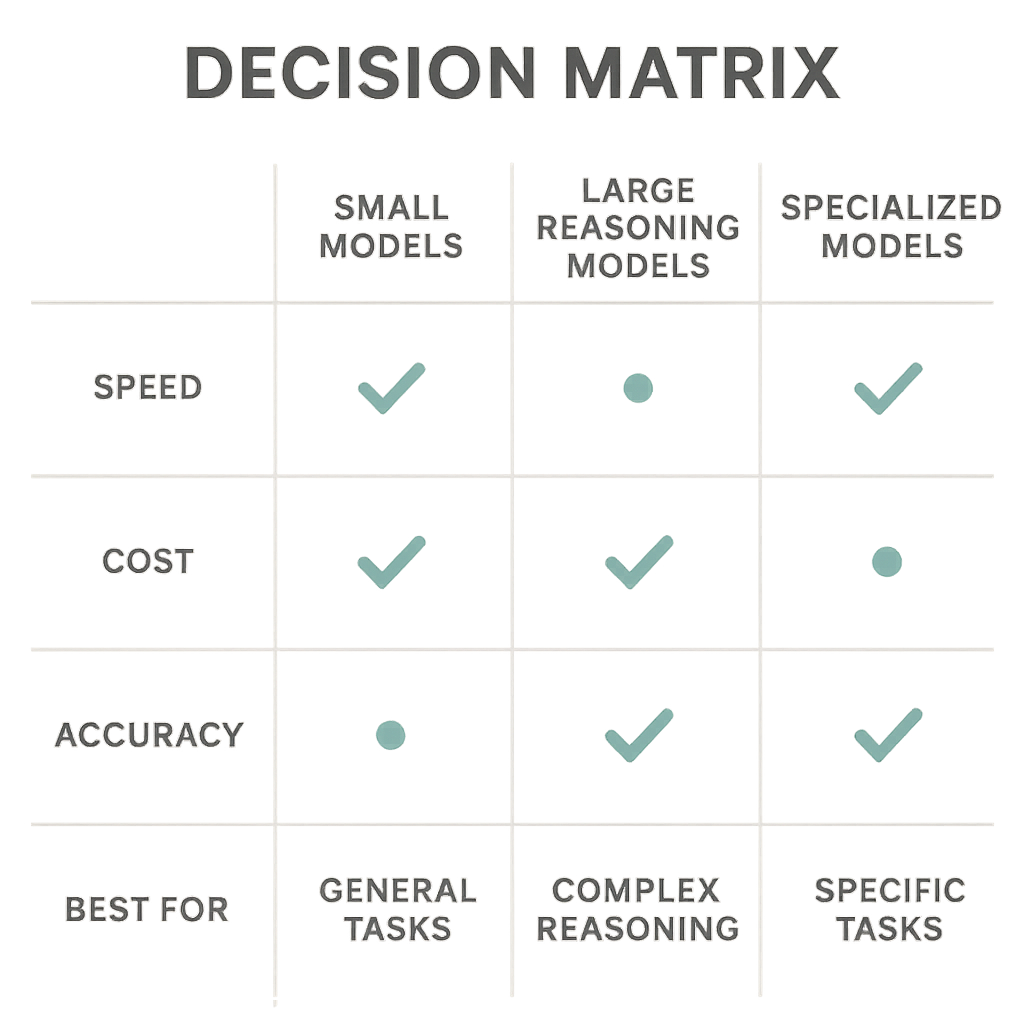
- Smaller general-purpose models: Fast, relatively inexpensive, and good for classification, extraction, routing, and routine generation.
- Large reasoning models: Better for multi-step analysis, complex drafting, and tasks that need more nuance.
- Specialized models: Trained for particular domains or outputs, such as code, vision, speech, or document parsing.
- Open-source models: Useful when you need more control, custom deployment, or lower long-term unit cost.
- Proprietary managed models: Easier to adopt quickly, often stronger out of the box, but more limited in customization and control.
For many businesses, the right answer is not “use the biggest model available.” It is “use the smallest model that reliably solves the problem.”
5. Test With Real Data, Not Toy Examples
Model demos are designed to look impressive. Business environments are not. The safest way to choose an AI model is to evaluate it against real examples from your workflow.
Create a test set of actual inputs, including difficult, messy, and ambiguous cases. If you are building a support triage system, use real ticket examples. If you are extracting data from contracts, use real documents with edge cases and formatting issues. If you are generating sales emails, test against the types of requests your team actually receives.
Look at more than one success metric. You may care about:
- Exact match accuracy
- Human review acceptance rate
- Hallucination rate
- Formatting consistency
- Failure rate on edge cases
In many cases, a model that is slightly worse on benchmark scores may perform better in your workflow because it follows instructions more consistently or handles edge cases more gracefully.
6. Think in Workflows, Not Single Models
A common assumption is that one model should handle every part of the task. In production, that is often unnecessary and inefficient. A better design is to use a workflow with multiple steps and the right model at each step.
For example, a business might use a small model to classify incoming messages, a larger model to draft a response only when needed, and a final rules-based check to ensure policy compliance. That kind of design can cut cost while improving reliability.
This approach is especially useful when volume is high. Not every request needs the most expensive model. Reserve stronger models for the hardest cases, and use lighter models for routine filtering, extraction, or routing.
When a Simpler Model Is the Better Choice
It is tempting to default to the most capable model available. But simpler models are often the better business decision when the task is narrow, repetitive, or highly structured.
Choose a simpler model when the workflow has clear rules, the output format is stable, latency matters, or the task can be verified automatically. In those cases, you may get better economics and easier maintenance without sacrificing quality.
Simplicity also helps reduce operational complexity. The fewer model dependencies you introduce, the easier it is to monitor performance, control costs, and make future changes.
Final Thoughts
The right AI model is the one that fits the task, not the one with the biggest headline number. Start with the business objective, define the constraints, test on real data, and choose the smallest model that can deliver acceptable quality at the right speed and cost.
For most teams, the best AI strategy is not a single model decision. It is a disciplined workflow that uses different models for different jobs and keeps human oversight where it matters most.